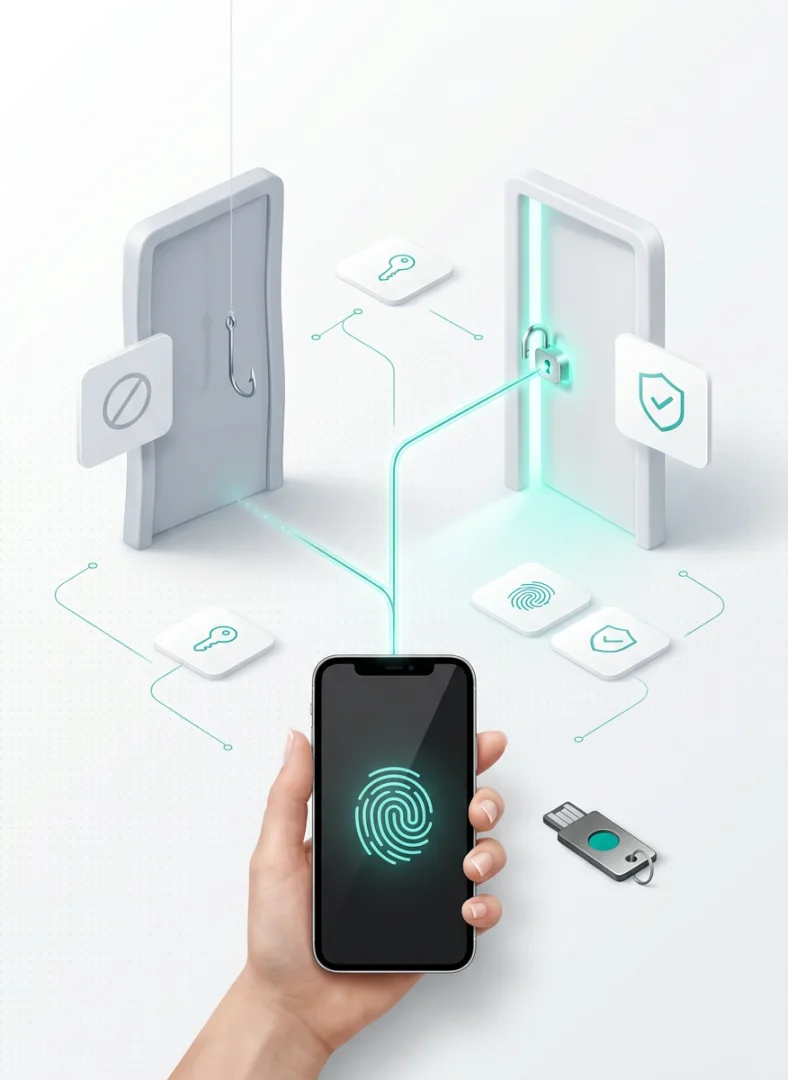
On 10 October 2026 a Substack post titled Passkeys are a trap. Do not use them. swept through the security community within days: nearly 2,800 likes, more than a thousand points and close to six hundred comments on Hacker News. The author, writing under the pseudonym The Hack, portrays passkeys as a Trojan horse: behind the convenience of passwordless sign-in would lie the power of the large platform vendors to decide which devices and operating systems are allowed into online services. The remedy proposed is a return to the six-digit codes generated by authenticator apps.
Over the following days came replies from security experts, from an Apple engineer and from Okta’s threat intelligence team. The controversy deserves attention because it raises questions that anyone governing how employees and customers reach company systems should be asking: who controls the credentials, what happens when you switch vendors, what information a website can demand from the user’s device.
This article is not meant as our reply to that post. Our aim is to offer a balanced and considered analysis of the problem: examining the criticisms on their merits, checking them against the technical specifications and the vendors’ documentation, and drawing operational guidance that our readers and clients can rely on. For a company, the choice should not be framed as “passkeys, yes or no”, but more deliberately, by asking which passkeys, for which users, with which recovery procedure. The security advantage of passkeys is tangible and documented; it only turns into value, however, if the whole lifecycle of the credential is designed, rather than limiting the analysis to the moment of sign-in.
At a glance
| Question | Short answer |
|---|---|
| Are passkeys more secure than a password plus an OTP code? | Yes, and against phishing the gap is wide: the credential is bound to the site’s domain and cannot be handed over to an impostor. Even the author of the critical post acknowledges it. |
| Can a site use passkeys to exclude Linux or an “unapproved” phone? | Not with the standard alone. WebAuthn attestation states the make and model of the authenticator, not the state of the operating system, and the synced passkeys from Apple, Google and Microsoft do not provide it. |
| Are they locked into the Apple or Google ecosystem? | Less than a year ago: since 2026 they can be moved between the major password managers thanks to the Credential Exchange standard. Interoperability, however, is not yet complete. |
| Is TOTP an equivalent alternative? | No. It improves on a password alone, but a cloned site can capture the code and replay it in real time. NIST explicitly excludes it from phishing-resistant methods. |
| Are they mandatory under NIS2 or PSD2? | No. NIS2 and the Italian ACN measures require multi-factor authentication proportionate to risk; passkeys are an effective way to meet that requirement, not a named obligation. |
| Where do you start? | With administrators and privileged accounts, using device-bound keys plus a spare; then employees, through the identity management system already in place; for customers, passkeys as the preferred option but not the only one. |
What a passkey is, and why phishing cannot steal it
A passkey is a pair of cryptographic keys. The private key lives on the user’s device, or in their password manager; the site stores only the public key, which is useless to anyone who steals it. At sign-in the site sends a cryptographic challenge, the device signs it after verifying the user by fingerprint, face recognition or PIN, and the site checks the signature. The whole exchange is governed by WebAuthn, the browser programming interface defined by the W3C, whose Level 3 version became a Recommendation on 25 August 2026 and which, together with the FIDO Alliance’s CTAP protocol, makes up the ecosystem known as FIDO2.
The decisive property is that every passkey is bound to the domain it was created for. If an employee lands on examp1e.com instead of example.com, the browser does not offer the passkey: there is nothing to type, and therefore nothing to surrender to the impostor. This is precisely what sets it apart from MFA methods based on codes the user reads and types back, whether sent by SMS or generated by an app. NIST, in revision 4 of SP 800-63B published in July 2025, states it unambiguously: authenticators that involve the manual entry of a code “SHALL NOT be considered phishing-resistant”, because that code is not bound to the specific session.
The word “passkey”, however, covers heterogeneous credentials, and on this point the post’s criticism is on target.
- Synced passkeys live in the password manager (iCloud Keychain, Google Password Manager, 1Password, Bitwarden and others) and are replicated across all of the user’s devices. They are the most convenient and the most widespread.
- Device-bound passkeys: the private key never leaves the hardware that generated it. This is the case for physical security keys such as YubiKeys, and for some enterprise apps such as Microsoft Authenticator.
The two families offer the same phishing resistance but distinct risk profiles. A synced passkey is as secure as the cloud account that holds it; a device-bound passkey cannot be duplicated and, for the same reason, is lost along with the device. NIST takes this into account: it allows syncable credentials up to assurance level AAL2, provided the keys travel encrypted and the sync account is itself protected by strong authentication, and reserves the higher level, AAL3, for non-exportable keys.
How they compare with other methods
| Method | Resistance to real-time phishing | User experience | Recovery after loss | Main weaknesses |
|---|---|---|---|---|
| Password only | None | Familiar, but burdensome to manage | Immediate, and exploitable for that reason | Reuse, database theft, phishing |
| Password + SMS | Low | Fair | Tied to the phone number | SIM swap, code relayed to the counterfeit site |
| Password + TOTP (authenticator app) | Low | Fair | Backup codes, if kept | The code is relayed to a cloned site in real time |
| Password + push notification | Variable | High | Tied to the phone | Notification bombing; number matching mitigates it but does not bind to the domain |
| Synced passkey | High | High | Through the password manager | As secure as the cloud account that holds it |
| Device-bound passkey | High | High on that device | Requires a second registered device | Lost with the device |
| Physical security key | High | Smooth once set up | Requires a spare key | Cost, distribution, replacements |
No method, passkeys included, offers complete protection. Malware on the computer can steal the cookie of an already authenticated session; a help desk operator persuaded over the phone can reset access; an email recovery procedure leaves a side door open. Passkeys neutralise the most exploited attack vector, which is also the only one that does not depend on the user’s vigilance.
Why OTP codes are no longer enough
The argument in the critical post that matters most to a company is also the weakest: proposing TOTP as the alternative. TOTP, the six-digit code that renews every thirty seconds, was a considerable step forward from the password alone, but phishing techniques adapted long ago.
The technique is called adversary-in-the-middle (AitM): the counterfeit site does not just collect the password, it places itself as an intermediary in front of the genuine one. The user types password and code, the proxy relays them in real time and keeps the session cookie. According to the Microsoft Digital Defense Report 2026, covering July 2025 to June 2026, AitM now accounts for 44.6% of identified phishing techniques, against 33.6% for conventional link phishing and 12.9% for malicious attachments. Tycoon2FA, one of the most widespread phishing kits sold “as a service”, was linked to more than 15 million malicious emails a month in the second half of 2025, before being dismantled by Microsoft with Europol in March 2026.
Automated kits are joined by the telephone. In January 2026 the Google Threat Intelligence Group documented campaigns in which self-styled IT staff called employees to “update MFA settings”, steering them to cloned sites bearing the company’s brand to harvest single sign-on credentials and codes. The report concludes explicitly that FIDO2 security keys and passkeys resist this kind of social engineering in ways that push and SMS authentication do not.
The authorities have held the same position for years. CISA calls phishing-resistant MFA the “gold standard” and notes that the only widely available form is FIDO/WebAuthn authentication. ENISA and CERT-EU recommend avoiding SMS and voice calls for one-time codes and deploying phishing-resistant tokens such as FIDO2 security keys. The author of the post, in notes added after publication, acknowledges that passkeys are domain-bound and therefore resistant to man-in-the-middle attacks, and that “Passkeys are definitely more secure than TOTP”.
The criticisms on their merits
The post contains a few technical errors, but it voices a fear about the future that may, in some respects, be well founded. It is worth separating the objections that stand from those that do not survive closer scrutiny.
Attestation: what a site can learn about your device
The central argument is that passkeys let sites check the user’s operating system and firmware, making it possible to shut out users running open-source systems such as Linux, or software that “Big Tech” dislikes.
Here three mechanisms that are often confused need to be told apart.
- The authentication flags. On every sign-in the site receives a few binary indicators: UP (the user was present), UV (the user was verified with biometrics or a PIN), BE (the credential is eligible for backup) and BS (the credential is currently backed up). The site can use them to require, for instance, user verification on every sign-in. These flags reveal nothing about the operating system or the device used to sign in.
- WebAuthn attestation. This is an optional signed statement that identifies the type of authenticator through a make-and-model identifier called the AAGUID. The standard defines it as evidence of “the origin of an authenticator”, and the default value of the request is no attestation at all. As Scott Helme put it in his 14 October reply, attestation “says nothing about your OS, your browser, your extensions”.
- Device integrity checks. Establishing that a phone has not been tampered with is the job of separate mechanisms, such as Google’s Play Integrity or Apple’s App Attest, which exist independently of passkeys and are already used by many banking apps.
The second mechanism also runs into a practical limit: synced passkeys, used by nearly all consumers, do not provide attestation. Microsoft Entra’s documentation says so (“Synced passkeys don’t support attestation”), and Ricky Mondello, who works on authentication at Apple, reiterated it: attestation for syncable passkeys runs counter to their mass-market goals, and when banks asked for it, platforms and browsers replied that the goal is to reduce phishing, “not some kind of trusted computing scheme”. He added: “over my dead body!”
This does not settle the controversy, but it relocates it. A service intent on discriminating between devices already has the means to do so today, and passkeys neither extend nor reduce that reach. The governance risk is real, but it concerns the policies of large services, not the protocol. The author himself, in a later note, withdrew the idea that one of the flags signalled remote attestation of the system.
In the enterprise, attestation is a control lever, not a threat
For an organisation, attestation is a valuable resource, to be used with judgement. Microsoft Entra ID can admit only specific models of FIDO2 keys for administrators, or enforce attestation at registration. One detail in the documentation undercuts the “obligation introduced by stealth” scenario: enforcing attestation blocks new registrations without attestation, but does not prevent sign-in by users who had previously registered a passkey without it. For highly privileged users, Microsoft itself recommends device-bound passkeys.
The EFF drew a sensible line as early as 2023: consumer-facing websites should avoid requesting make and model information about the authenticator. The same criterion applies to anyone designing a customer portal.
Portability: vendor lock-in in 2026
The second criticism is that passkeys tie the user to the vendor’s ecosystem. Until 2025 the objection was largely justified: passkeys could be used from other devices, but not moved in bulk from one manager to another.
In 2026 the picture changed. The FIDO Alliance has defined Credential Exchange, made up of a format (CXF, published as a 1.0 Proposed Standard) and a protocol (CXP, still a working draft). Since iOS and macOS 26, passkeys move between Apple’s Passwords app and managers such as 1Password, Bitwarden and Dashlane through a system picker, with no intermediate files; on Android, transfers involve Google Password Manager and compatible managers, with version requirements that vary by product (1Password and Bitwarden specify Android 14 or later). Mondello summed it up: “Nobody should feel locked into their password manager.”
Interoperability nonetheless remains uneven. Not every combination works in both directions; KeePassXC exports and imports passkeys in its own format, an unencrypted JSON file, but does not yet support the FIDO standard; device-bound keys, by definition, cannot be exported. The lock-in criticism therefore needs updating, not shelving: in a tender it makes sense to require the vendor to demonstrate exporting and importing credentials in practice, not merely to state the intention.
Who writes the rules
The post points out that no consumer organisations sit in the FIDO Alliance. The member list published by the consortium bears this out: it includes technology companies, banks, some government bodies (among them Germany’s BSI, the UK’s NCSC and NIST) and research centres. It is a legitimate observation about the governance of standards, which proves no intent but justifies the vigilance of those who defend digital rights.
The numbers, with their scope
Adoption data comes almost entirely from the FIDO Alliance or from vendors, who have an interest in publicising it. It should be read with the sample in mind.
- 5 billion passkeys in use, according to the FIDO Alliance’s The State of Passkeys 2026 report (May 2026). This counts credentials, not people: each user holds many. The page does not explain the methodology.
- 68% of organisations are deploying, piloting or rolling out passkeys for employees, according to the same survey (1,400 decision makers at companies with at least 500 employees, April 2026). The ten countries in the sample do not include Italy.
- 36% of successful sign-ins use a passkey, up from 26% in 2025, according to the Passkey Index 2026 (October 2026). The figure is the average across 15 leading consumer services, including Amazon, Google, Microsoft, PayPal, Shopify and TikTok, and does not represent the web as a whole.
- 93% of passkey sign-in attempts succeed, against 78% with passwords and traditional MFA, according to the same index. The report also estimates 27 seconds saved per sign-in, describing it as an indicative figure.
- Mercari, the Japanese peer-to-peer marketplace, reports an 82.5% success rate with passkeys against 67.7% with SMS OTP, and a sign-in time of 4.4 seconds instead of 17.
- Microsoft, on consumer accounts, reports 99% successful registrations and sign-ins completed in 3 seconds instead of 69 with a password and second factor.
- Okta, drawing on more than 6,000 social engineering attempts aimed at account takeover, estimates that organisations enforcing passkeys across both sign-in and account management would have suffered no successful takeover. It remains a vendor’s counterfactual estimate, but it pinpoints the decisive element: protecting the path through which account settings are changed as well.
For a company these figures show a trend; they do not, by themselves, make a business case. That has to be built on internal data: password reset tickets, SMS costs, time spent signing in, fraud attempts, weighed against the costs of implementation, physical keys and support.
Choices by scenario
Employees
For most SMEs the quickest route runs through the identity management system already in place. Microsoft Entra ID supports both synced and device-bound passkeys, with policies that differ by user group, and the feature is included in every edition, the free one included; the real investment lies in conditional access features and in managing the project. Google Workspace and Okta offer similar capabilities, with terms and licences to be checked against each contract.
The working principle is segmentation by risk level:
- regular users: passkeys, synced ones included, with mandatory user verification;
- administrators, finance staff with approval powers, senior management: device-bound passkeys or physical keys, at least two per person, and attestation where the authenticator model must be guaranteed;
- emergency (break-glass) accounts: physical credentials kept in custody, inventoried and checked periodically.
The factor that decides the project’s outcome is the fallback method. If sign-in with password and SMS remains available alongside the passkey, the attacker will take that route. Weak methods must be disabled or restricted, and the help desk, which becomes the new target, must be trained: who is authorised to reset a credential, after which checks, with what audit trail.
Customers of a digital service
For a B2B portal, an e-commerce site or an app, the recommended formula is passkeys as the preferred option, not the only one. Offer to create a passkey right after a successful sign-in, allow users to register more than one, and show them the list of associated devices with the ability to revoke them. Account recovery must be designed and tested as a feature in its own right: a weak email reset cancels out the advantage of the passkey.
Before making passkeys the default, it pays to run a measurement campaign: how many users enable them, what share of sign-ins succeed, how often the fallback is used, how many tickets and recovery requests arise, and how results differ across operating systems and browsers. The published case studies are encouraging, but they do not automatically carry over to your own customers.
Regulation: what can and cannot be claimed
NIS2. Article 21 of the directive lists among the risk-management measures “the use of multi-factor authentication or continuous authentication solutions”, “where appropriate”. In Italy, ACN determination 379907 of December 2025 translates this into measure PR.AA-03: multi-factor authentication at least for the relevant systems, according to the outcome of the risk assessment. Phishing resistance is not mentioned. Passkeys fully meet the requirement and exceed it as far as phishing is concerned, but they are not a named obligation and do not on their own guarantee compliance.
PSD2. The technical standards on strong customer authentication for payments (Delegated Regulation 2018/389) require two elements from different categories and, for remote payments, dynamic linking of the code to the amount and the payee. A passkey with biometric verification combines possession and inherence, but a passkey sign-in is not automatically equivalent to authorising a single transaction: compliance must be demonstrated across the whole flow.
eIDAS 2. Regulation 2024/1183 requires every Member State to make a European Digital Identity Wallet available by the end of 2026. The wallet and passkeys are distinct tools, potentially complementary: the former proves who a person is, the latter prove that whoever signs in is the same person who registered with the service.
Where to start
A realistic path for a mid-sized company unfolds in a few stages, whose duration depends on the existing infrastructure.
- Inventory. Directory, single sign-on, applications that do not support it, external contractors, privileged accounts, sign-in and recovery methods currently active.
- Pilot with administrators. Two physical keys per person, supervised registration, documented replacement and revocation procedures.
- Extension to employees. Passkeys with user verification, first on a pilot group representative of operating systems and browsers, then in successive waves.
- Retiring fallback methods. Progressive deactivation of SMS and passwords where no longer needed, with clear rules for the help desk.
- Customer portal. Passkeys as an option, metrics collected from day one, and a decision on making them the default only after analysing them.
At every stage the questions for vendors stay the same: how credentials are exported, how they are revoked, what happens if the user loses every device, who is authorised to reset access and under what controls.
The October post had the merit of reminding us that a security technology always implies a choice about who holds control. The replies in the days that followed reminded us that, against the threat passkeys were born to counter, phishing, there is no widely available alternative of equal effectiveness today. The two points are not mutually exclusive: adopt passkeys, and design recovery, portability and access policies so as not to depend on a single vendor. This is the ground where cybersecurity and software development work converge, as in the move from perimeter security to Zero Trust.